Express.js is a fast, minimalist web framework for Node.js. It is an easy way to build web applications, APIs and RESTful services. In this blog post, we will go through the steps to get a simple Express.js app up and running.
TL;DR
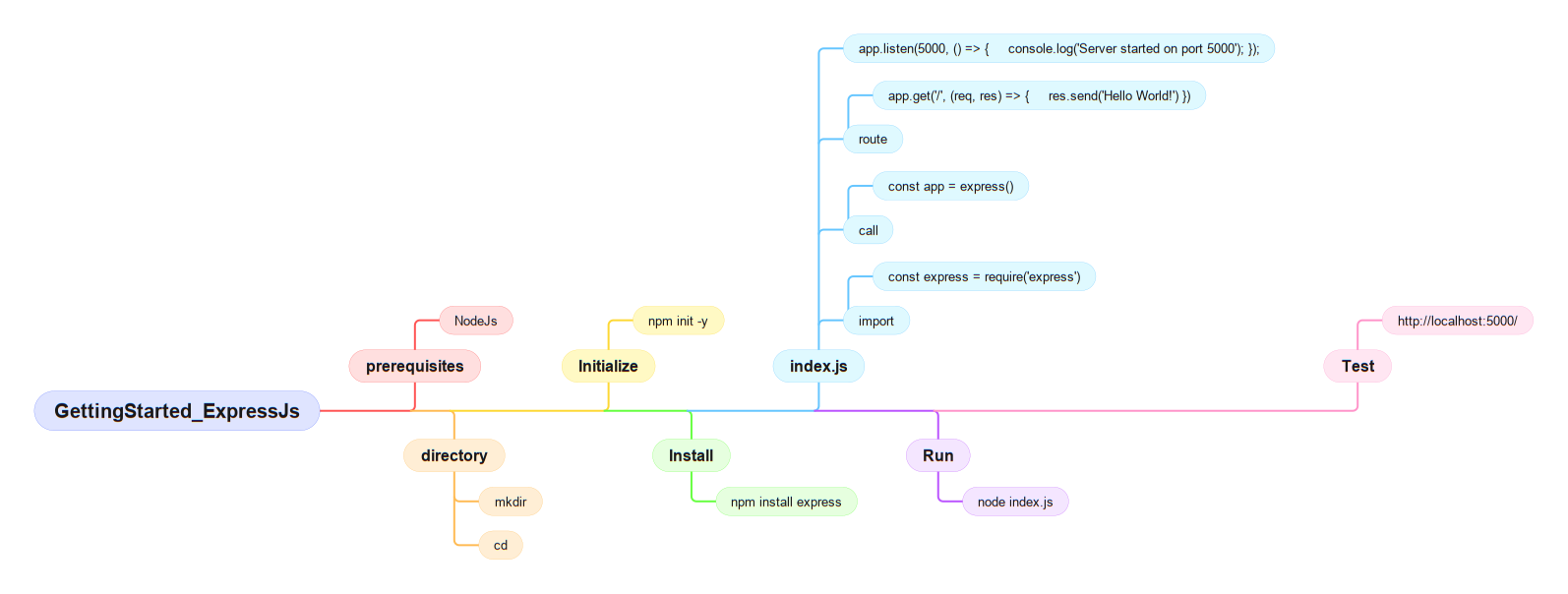
For video version of this blog please check out my video on youtube
1. Install Node.js
The first step is to install Node.js. You can download the installer from the official website https://nodejs.org/en/ and follow the instructions to install it on your computer. Once Node.js is installed, you can verify the installation by running the following command in your terminal:
node -v
3. Initialize a new Node.js project
To create a new Node.js project, run the following command:
npm init -y
5. Create the main server file
Create a new file called index.js in your project directory and add the following code:
const express = require('express');
const app = express();
const port = 3000;

app.get('/', (req, res) => {

  res.send('Hello World!');
});

app.listen(port, () => {

  console.log(`Server running at http://localhost:${port}`);
});
Your Express.js app should now be running on http://localhost:3000.
Conclusion
You have successfully created a basic Express.js application! This is just the beginning - Express.js offers many more features for building robust web applications and APIs.
Next Steps
- Learn about middleware
- Explore routing in Express.js
- Add a database connection
- Implement authentication
Happy coding!